
New in GAUSS 26
The release of GAUSS 26 introduces more than 30 new features, functional enhancements, and technical refinements designed to optimize computational speed and data processing workflows.
Short Overview of Highlights in GAUSS 26
-
Interactive Data Transformation
Apply common data transformations in the Symbol Editor without writing code; auto-generate equivalent GAUSS scripts instantly. -
Time Series Aggregation
Convert high-frequency time series data to any specified lower frequency with automated date alignment. -
Panel Data Management
Standardize unbalanced panels by filling gaps or removing incomplete cases to ensure structural integrity. -
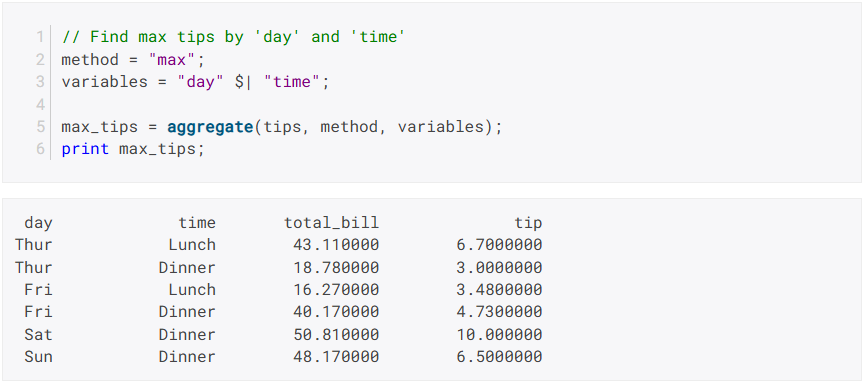
Multicolumn Aggregation
Execute simultaneous aggregation across multiple data columns to increase processing efficiency. -
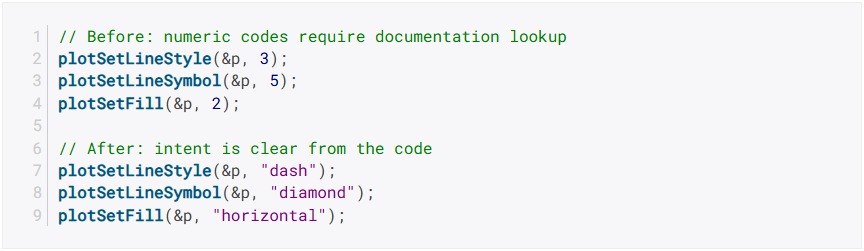
Cleaner Plotting Code with String Parameters
Improve script readability by using descriptive string names instead of numeric codes in graphics functions. -
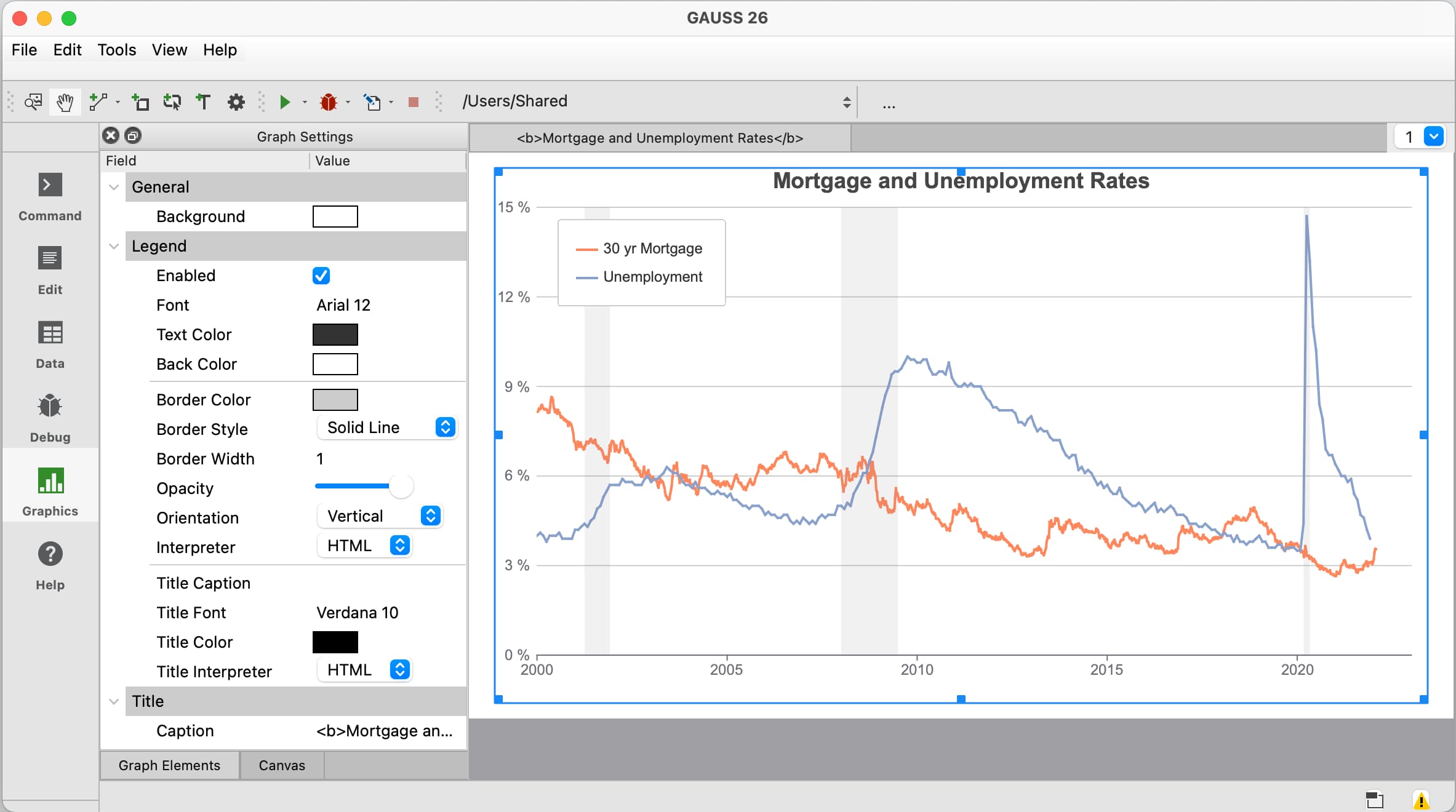
Unified Graphics Settings
Access all visualization parameters through a single, tabbed interface for Axes, Lines, Symbols, and Canvas. -
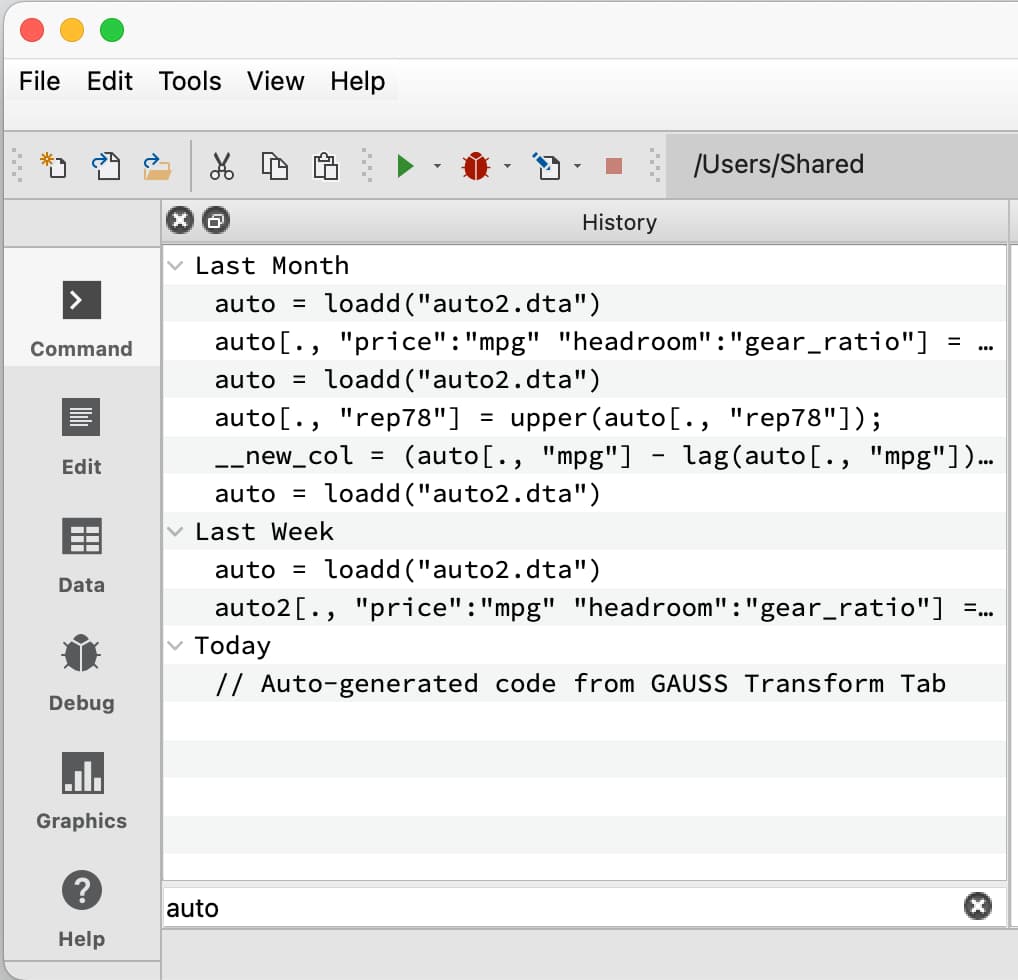
Enhanced Navigation
Search-as-you-type filter widgets and autocomplete functionality for faster symbol and command discovery. -
Additional Enhancements
Performance optimizations for sorting, string matching, and system diagnostics.
Transform Data Without Writing Code
The new Transform Tab in the GAUSS 26 Symbol Editor allows for interactive application of common data transformations. Users can select a column, apply a transformation, and preview results immediately within the editor environment.
Available transformations include:
- Numeric: logarithm, exponential, square root, absolute value, standardize, normalize, lag, first difference, percent change, cumulative sum, moving average, replace missing values
- String: lowercase, uppercase, trim, text replacement
- Date: extract year, month, day, quarter, week, hour, minute, second
Each operation automatically generates the equivalent GAUSS code, facilitating seamless integration into production scripts.
Aggregate Time Series to Any Frequency
The new tsAggregate function converts time series data from higher to lower frequencies with flexible aggregation methods. Whether downsampling tick data to daily observations or converting monthly series to quarterly, tsAggregate manages date alignment automatically.

Supported frequencies include second, minute, hourly, daily, monthly, quarterly, and yearly. Aggregation methods include last, first, mean, sum, max, min, median, standard deviation, count, and mode – applied per column as needed.
Balance Panel Datasets
The new pdBalance function standardizes panels to ensure each group shares identical time coverage, either by filling gaps or removing incomplete cases. This tool complements existing functions such as pdLag and pdSummary .

Multicolumn Aggregation
GAUSS 26 enhances efficiency for high-dimensional datasets by supporting simultaneous aggregation across multiple columns, reducing the code required for complex data summaries.
Cleaner Plotting Code with String Parameters
Graphics functions now accept descriptive string names instead of numeric codes, resulting in self-documenting code. This applies to functions including plotSetLineSymbol , plotSetFill , plotSetLineStyle , and plotSetLinePen .
Unified Graphics Settings Panel
The Graphics page integrates Graph and Canvas settings into a single tabbed interface. This logical organization allows for rapid adjustment of Axes, Lines, Symbols, Text, and Canvas through a centralized toolbar.
Faster Navigation with Filter Widgets
New filter widgets allow for real-time searching on the Command and Data page. Utilizing Ctrl+K (Cmd+K on macOS) activates instant filtering across large symbol lists and command histories.
Additional Enhancements
sortcandsortmcaccept a sort_order parameter for ascending (1) or descending (-1) sortingstrrindxaccepts vector input for the search pattern- New
endswithfunction complementsstartsWithfor string pattern matching - Symbol Editor filtering adds "Starts With", "Does Not Start With", "Ends With", and "Does Not End With" options
- New button on Edit and Debug pages opens symbols directly in the Symbol Editor
- Package Manager provides detailed error messages with specific troubleshooting steps
Review the complete GAUSS 26 Change Log on the Aptech website